
 Access Control
A delivery driver at the gate, an unfamiliar caller at a side entrance, or a contractor arriving before staff can all create the same question: should they be allowed in? Professional video intercom installation gives you a clear answer before a door or gate is opened. You can see who is calling, speak with them, and release access only when you are satisfied they belong there.
For homes, that means greater confidence when children, older relatives, or remote workers are in the property. For businesses, managed sites, healthcare facilities, and industrial premises, it means a more controlled front line for staff, visitors, suppliers, and vehicles. The right system does more than add convenience. It helps stop unauthorized access before it becomes a security issue.
What a Video Intercom System Does
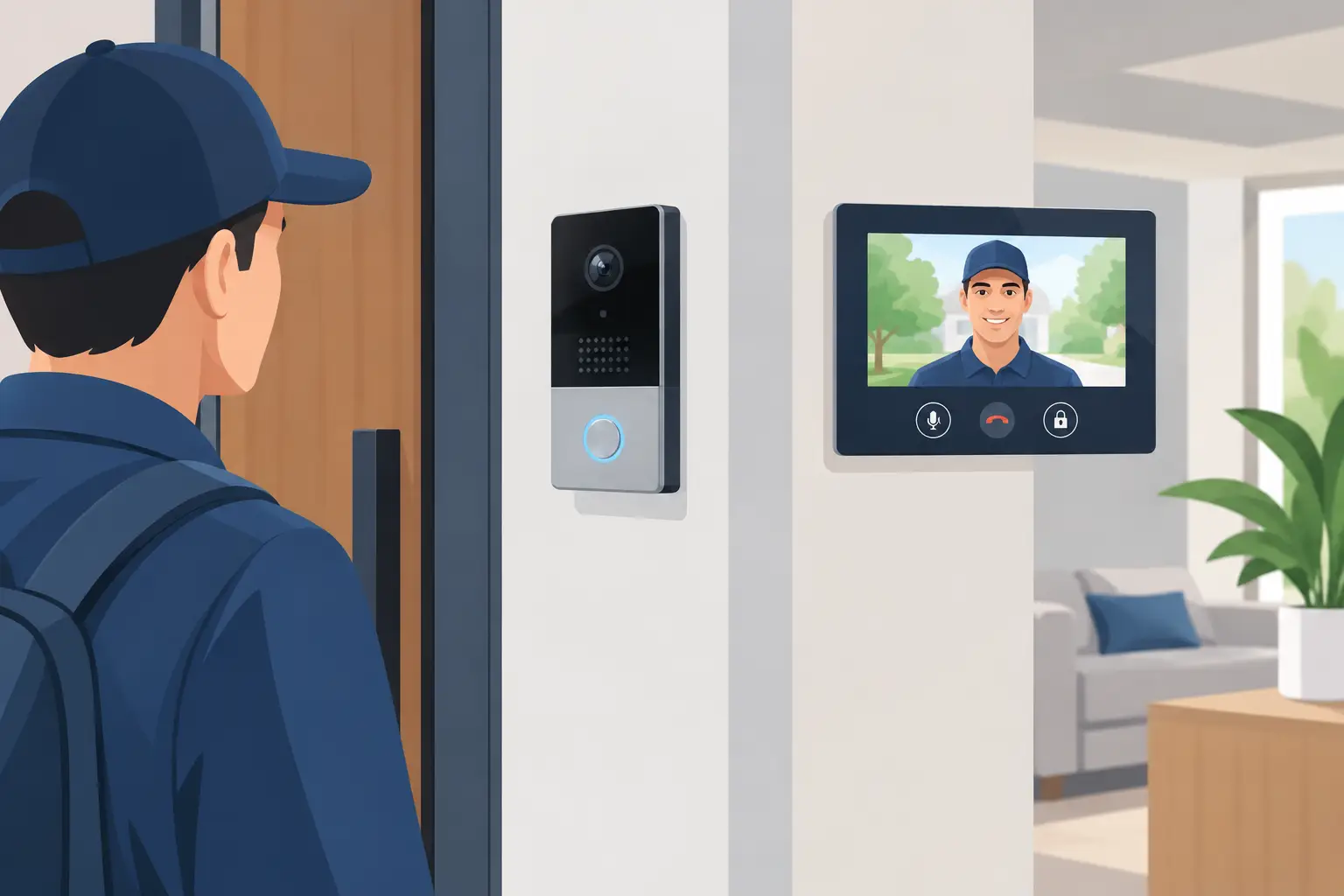
A video intercom connects an external call station to an internal screen, mobile device, or both. When a visitor presses the call button, the system sends live video and audio to the person responsible for access. They can identify the visitor, have a conversation, and choose whether to unlock a pedestrian door, electric gate, or barrier.
The equipment is selected around the site. A simple home system may have one gate or door station and one indoor monitor. A larger commercial installation may include several entry points, multiple screens, mobile credentials, access-control readers, and timed permissions for different staff groups.
Video quality matters, but it is only one part of the decision. A clear image in low light, reliable two-way audio, weather-resistant external equipment, and a secure connection to the locking hardware are equally important. An intercom that looks impressive but cannot be heard over traffic, or fails to show a face after dark, does not provide the level of protection the property needs.
Where Video Intercom Installation Makes the Biggest Difference
At a residential property, an intercom is particularly valuable when the front door is set back from the road, the driveway has automated gates, or occupants want to respond without opening the door. It can also reduce unnecessary trips to the gate when deliveries arrive. If you are away from home, an app-enabled system may allow you to answer a call and view the visitor from your phone.
For apartment buildings and managed developments, a video intercom creates a controlled route from the entrance to individual residences or a central management point. Landlords and property managers can specify how visitors call residents, how tradespeople are admitted, and how access is handled when a tenant changes.
Commercial properties need a solution that reflects the way people move through the site. An office may need a smart, welcoming entry system that allows reception to verify visitors. A warehouse may need call stations at a staff gate and delivery entrance, with release only from an authorized office. A healthcare environment may require selected doors to remain protected while allowing staff to communicate clearly with patients, visitors, and contractors.
Planning a Video Intercom Installation Properly
The best results begin with a site assessment, not a boxed product. The installer should consider where visitors naturally approach, where staff need to respond from, and whether an existing gate, lock, or network can support the proposed equipment.
Start by defining the access points that need control. This might be a front door and driveway gate at a home, or a main entrance, loading bay, staff door, and vehicle gate at a business. It is often more cost-effective to consider all relevant entrances at the start than to install one isolated system and later discover that an unsecured side entrance remains the easier route in.
Next, consider who needs to answer calls. A homeowner may prefer an indoor monitor and mobile app access. A business may need a receptionist, security office, facilities team, or several departments to receive the call. The system should support the actual working pattern, including early deliveries, shift changes, and periods when reception is unattended.
The physical environment also affects the specification. External stations need to cope with rain, sun, cold weather, and regular use. Busy roads, machinery, and wind can affect audio clarity. Poor lighting can compromise identification, while a badly positioned camera may only capture the top of a visitor’s head. Experienced installation places the call station at an effective height and angle and addresses lighting before these issues become daily frustrations.
Wired, Wireless, and Networked Options
There is no single right type of video intercom. A wired system is often the strongest choice where cable routes are practical, particularly for gates, commercial buildings, and sites that need dependable operation over long distances. It can provide stable communication and can be integrated neatly with other security equipment.
Wireless options can be useful where running cable would be disruptive or costly. However, signal range, building construction, local interference, and power arrangements must be checked. A wireless product should not be selected simply because it appears easier to fit. If the signal is inconsistent at the gate or external door, the convenience disappears quickly.
Networked intercoms use the property’s data infrastructure and can support remote answering, multiple devices, and wider integrations. They are well suited to businesses with established networks and homeowners who want mobile control. They also need correct network configuration and cybersecurity practices. Default passwords, poorly managed user accounts, and unreliable Wi-Fi can undermine an otherwise capable system.
Connecting the Intercom to Gates, Doors, and Access Control
A video intercom is most useful when it works with the rest of the entry system. At a home, it can release an electric gate while the caller remains visible on screen. At a business, it may release a magnetic lock, electric strike, automatic door, or car park barrier after authorization.
Integration must be designed safely. Gate automation requires appropriate safety devices and control settings so that people, vehicles, and property are protected during operation. Door hardware must suit the door type, fire safety requirements, and the level of security needed. A professional installer checks these details rather than treating the intercom as a standalone camera with a release button.
For higher-traffic sites, combining intercoms with Paxton access control or similar systems can give managers better control over everyday movement. Staff can use approved credentials for routine entry, while visitors use the video call station. Permissions can be changed when roles change, reducing the risk of old keys, fobs, or codes remaining in use.
Installation Quality Affects Everyday Reliability
The difference between a system that works on day one and one that remains dependable is often in the installation details. Cables need appropriate protection, external equipment needs secure mounting, and power supplies must be correctly sized. The lock release, gate controls, and internal monitors all need testing under real operating conditions.
Commissioning should include checking audio volume, camera view, night performance, call routing, release functions, and mobile app access where provided. Staff or household members should also know how to use the system, including what to do if a visitor cannot be identified or if the main contact is unavailable.
JP Security brings 37 years of experience in electronic security installation and repair across Cheltenham, Gloucester, Tewkesbury, and the wider Gloucestershire area. That local knowledge matters when a system needs to suit an older property, a busy commercial entrance, or an existing gate and access-control setup.
Maintenance, Repairs, and Future Changes
Like any security equipment, a video intercom benefits from periodic checks. External lenses can become dirty, call buttons can wear, and foliage can obstruct a camera view. Gates and doors may change over time, and a business may alter how it manages staff, deliveries, or visitors.
Regular maintenance provides an opportunity to test releases, inspect cabling, confirm audio quality, and review user permissions. It is also sensible to check that mobile devices and apps are still receiving calls after software or phone changes. For managed properties, keeping a clear record of authorized users helps prevent access from being overlooked when tenants or employees leave.
If you already have an intercom that has become unreliable, repair or upgrade may be more appropriate than a complete replacement. The right answer depends on the condition of the existing wiring, compatibility with locks or gates, available parts, and the security features you now need.
Choosing the Right Installer
Video intercom installation should be based on the property, the people using it, and the level of control required. Ask whether the installer can assess the complete entry route, not just fit a screen by the door. They should be comfortable working with gate automation, access control, locks, cabling, and existing security systems where needed.
A clear proposal should explain what equipment is being installed, which doors or gates it controls, how calls are answered, and what happens if power or network connectivity is interrupted. It should also distinguish useful features from features that sound attractive but will not be used.
A short site consultation can prevent years of inconvenience. Speak to an expert before choosing equipment, and build an entry system that lets the right people in while giving everyone else a reason to stop at the gate.
